
Big Mumbai Login, Explained
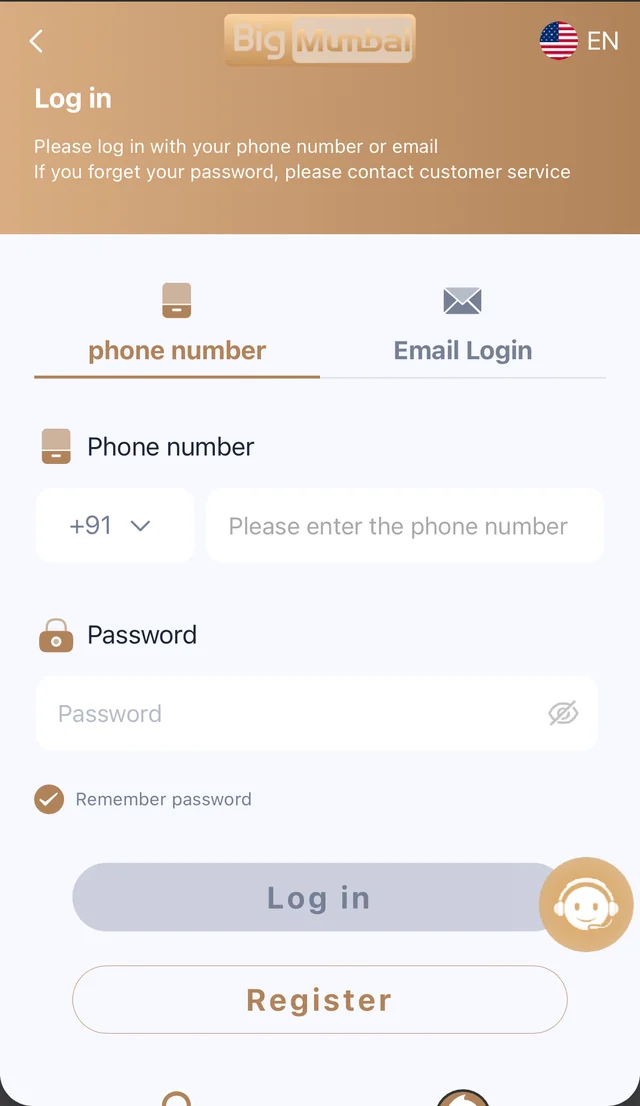
Logging in to Big Mumbai is the fastest way back to your wallet, your game history and any bonuses sitting in your account. The login screen accepts either the phone number or the email address you registered with, paired with your password — there's no separate login for the app versus the browser, and no need to remember which one you used last time. Whichever device you open Big Mumbai on, you're looking at the exact same account, the exact same balance and the exact same game library. For returning players, this page is usually a five-second stop on the way to a Win Go round, a slots session or a quick check of the wallet before making a withdrawal.
How To Log In, Step By Step
Open the Big Mumbai login page from any device, choose phone number or email login, enter your credentials and tap Log In. If you've saved your password, the whole process takes a few seconds. First-time users who haven't created an account yet should head to the Register page instead — logging in only works once an account already exists. Once you're in, your dashboard loads straight into the lobby, with your wallet balance visible at the top so you always know exactly where you stand before you place a bet.
Phone Number vs Email Login
Big Mumbai supports two ways to sign in, and both lead to the same account. Phone number login is the default for most players, since it doubles as the fastest way to verify your identity if you ever need to recover your password. Email login exists for players who prefer not to tie their account to a phone number, or who registered using an email address originally. You can switch between the two login tabs on the same screen — neither method is faster or more secure than the other, so use whichever you have on hand.
Forgot Your Password?
If you can't remember your password, the login screen has a Forgot Password link that walks you through resetting it using your registered phone number. You'll be asked to verify that number, after which you can set a new password immediately — there's no waiting period and no need to contact support unless your registered phone number has also changed. Because password recovery is tied to that phone number, it's worth keeping it up to date on your account so you're never locked out of a wallet that has funds in it.
One Account, Every Device
A lot of gaming platforms quietly split play history between an "app account" and a "website account." Big Mumbai doesn't work that way. Log in from a friend's phone, your own laptop, or the installed Android app, and you're always looking at the same wallet balance, the same transaction history and the same active bonuses. That means you can start a Win Go session on the app during your commute and pick up exactly where you left off on a browser later, without losing anything in the switch.
Is Big Mumbai Login Secure?
Every login is tied to a verified phone number or email, and account traffic runs over encrypted connections end to end. Big Mumbai never asks for your password over Telegram, email or any other channel outside the official login page — if you ever receive a message asking for your credentials directly, it isn't from us. For more on how account data is handled, see the Privacy Policy, and if you'd rather set limits on your own play, the Responsible Gaming page covers the tools available to you. Enabling the Remember Password option on a personal device can speed things up, but avoid it on shared or public computers to keep your wallet fully in your control.
Common Login Issues And How To Fix Them
Most login problems come down to one of three things: a mistyped phone number or email, an outdated password saved in your browser, or a temporary connectivity issue on your device. If Log In isn't responding, double-check the country code on your phone number field first — it's the most common reason a correct password still gets rejected. If you're logging in through the Android app rather than a browser, make sure you're on the latest installed version, since an outdated build can occasionally struggle to reach the login servers. Clearing your browser's saved autofill for the field and typing your password manually resolves the issue in most other cases. If none of that works, the Forgot Password flow will get you back into your account without needing to contact support at all.
What You Can Do Once You're Logged In
Once you're signed in, the dashboard puts everything in one place — your wallet balance up top, the full game lobby below it, and quick access to deposits, withdrawals and any active promotions. From there you can jump straight into a Win Go round, browse slots, check the Promotion page for anything currently running, or head to Gift Code to redeem a promo code you've received. Logged-in sessions stay active across tabs and devices, so there's rarely a need to log in more than once per device unless you've explicitly logged out or cleared your browser data.
Still Need Help Logging In?
If you've tried the Forgot Password flow, double-checked your phone number and password, and you're still unable to sign in, the fastest route is our Telegram support channel, where a real person can look into your specific account rather than a generic script. The Contact page also lists an email address for anything that needs a slower, written record — useful if your issue involves a specific transaction or deposit that didn't reflect correctly. When reaching out, have your registered phone number ready, since that's the fastest way for support to locate your account and verify it's really you asking. Most login issues are resolved within minutes once a support agent is looking at the account directly, rather than guessing from a generic troubleshooting checklist.
Don't have an account yet? Register on Big Mumbai.